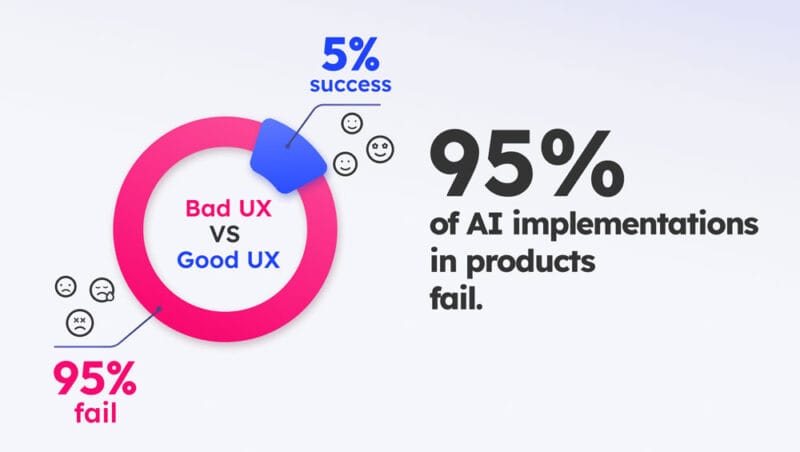
Your CEO read about ChatGPT in Forbes, your board is asking about “the AI strategy,” and your competitors are showcasing their “new AI capabilities.” Meanwhile, you know that 95% of generative AI implementations fail to achieve the expected ROI.
As a Product Director, you’re likely already familiar with this pressure. The difference this time is that implementing generative AI features in your product carries even higher risks. 52% of users are more concerned than excited about AI (compared to 37% in 2021), and when implementations fail, 88% of users simply don’t come back.
According to a recent MIT report featuring both corporate leaders and developers, 95% of organizations are not seeing any meaningful benefits from these implementations. But here’s the interesting part: we’ve seen the other side of the coin—AI implementations that significantly improve user satisfaction by delivering a strong user experience. While companies invest billions in building more sophisticated models, the evidence suggests they are underestimating the importance of UX. In fact, MIT identifies UX as one of the top three barriers.
Mistakes That Sink Most Implementations
Let’s start with what’s going wrong. Because if you understand these patterns, you’re already halfway there.
The “AI Everywhere” Syndrome
The temptation is obvious: if AI is good, more AI must be better. The result is predictable—but painful. According to data from Adjust, 24% of users uninstall apps on the first day when there is feature overload. That means losing a quarter of your users before they even understand the value of your latest update.
The reality is that users need time to adopt each new capability. They can’t process everything at once—especially when it requires changing how they work.
The Black Box No One Trusts
Here’s the more subtle problem: your AI might be technically impressive, but if users don’t understand why it suggests what it suggests, they simply won’t trust it—and therefore won’t use it.
A common real-world example: a CRM implements AI to prioritize leads but doesn’t explain the criteria. Sales reps, with years of experience, look at the suggestions and think, “This doesn’t make sense based on what I know.” The result? An invisible feature and wasted investment.
Trust is built through transparency. You don’t need to expose complex algorithms, but you do need to provide enough context for the AI’s decisions to make sense to the user.
Ignoring That AI Will Fail
This is the most dangerous mistake because it seems obvious—yet everyone overlooks it. Your AI will make mistakes. It will misinterpret inputs. It will generate outputs that don’t make sense. The question is not if it will happen, but what your users will experience when it does.
The typical pattern is devastating: a user tries the new feature → the AI produces an incorrect response → the user gets frustrated → they never try it again.
And just like that, your adoption rate collapses—regardless of how much you improve the model afterward.
How to Do It Right: A Proven Framework
Now that we know what to avoid, let’s talk about how to do it correctly. At UZER, after working on multiple implementations, we’ve observed and distilled the successful approach into three clear phases.
Phase 1: Understand Before You Build
Before writing a single line of code, you need to map exactly where your users experience friction. Not every problem requires AI—some need better copywriting, others better information architecture. AI should only be used where it adds unique value.
This is also where you establish your baseline metrics. If you don’t measure before, you can’t evaluate improvements after. It sounds basic, but it’s surprising how many teams skip this step.
Phase 2: Prototype the Experience, Not the Technology
Here’s the key insight: design the full experience through mockups before training any model. Use hardcoded responses to test whether the interaction actually makes sense to users.
At UZER, we conduct user testing with five to eight users interacting with prototypes. This gives us more insight into the right AI UX than a hundred hours of model fine-tuning. This is also where we design loading, error, and success states. AI is not instantaneous, and users need to understand what’s happening while processing occurs.
Phase 3: Smart Rollout
Start with your power users—they understand your product better and will provide more valuable feedback. They’re also more tolerant of early issues if they can see the potential value.
Run A/B tests not just “AI vs. no AI,” but also different ways of presenting AI, different levels of intervention, and different tones of communication. And stay focused on experience metrics—not just the technical accuracy of the model.
How to Validate Quickly
Before approving any AI implementation, use this quick validation checklist. Teams in the top 5% can confidently answer “yes” to all of these:
- Does the AI solve a real, documented user problem? Not a hypothesis or something that “would be cool,” but something that causes measurable frustration.
- Have you designed error flows for when the AI gets it wrong? There should be clear and easy ways to correct outputs, revert to manual methods, and report issues.
- Does your team include expertise in both AI and user experience? The best results come when both perspectives are present from day one—not with junior UX or generic teams from development or marketing agencies that may not fully understand UX, but with experienced, specialized teams or agencies.
- Do you have clear baseline metrics and a rollback plan? If the implementation negatively impacts key metrics, you need to be able to revert quickly while iterating.
- Have you validated the experience with real users before building the technology? Successful teams never build first and ask questions later.
The Difference Between the 95% and the 5%
Generative AI is here to stay. Product leaders who learn how to implement it correctly will gain a real competitive advantage. But as MIT shows, most are getting it wrong.
What separates the successful 5% from the failing 95%? It’s not the sophistication of the AI model. It’s the discipline to apply proven frameworks that prioritize user experience from day one.
Successful teams understand that implementing AI is not a technical project—it’s a behavior change project. And changing behavior requires deeply understanding users and designing experiences that make new technology feel natural, useful, and trustworthy.
The good news is that these frameworks are replicable. You don’t need to reinvent the wheel—you need to consistently execute what already works.
Want to apply this framework to your AI implementation? At UZER, we help product teams avoid the mistakes made by the 95% and build experiences that drive real adoption. Let’s talk about your project.